


AR Ruler App: Tape Measure Cam
3.96.13K Reviews
App Specs
- Version
- 3.3.5
- Updated On
- License
- Free
- Downloads
- 10,000,000+
- Developer
- Grymala apps
- Categories
- Tools
- Platform
- Android, iOS
Screenshots
 Analysis by AppCompare
When a household shares one phone or tablet, a measuring app can be more useful than it first sounds. Someone can check whether a chair will fit beside a desk, pass the device along, and let another person inspect the result before making a decision. I like that kind of quick, practical handoff: it turns a phone into a measuring aid without needing to find the tape measure first. The important caveat is that an AR reading is a guide, not a substitute for careful measuring when a close fit matters.
One phone, several people, different jobs
AR Ruler App: Tape Measure Cam is a free tools app from Grymala apps, and its appeal is easy to understand in a shared home. One person might use it to check a doorway, while someone else wants to compare a shelf with an empty wall. The app’s camera-based approach makes those small checks convenient, especially when the phone is already nearby.
For a realistic example, imagine two people choosing a bookcase online. One can use the app to estimate the space beside a window, save a photo with the dimensions, and show it to the other person while comparing options. That is more useful than relying on a remembered number, but I would still take a tape measure to the actual wall before ordering furniture that needs a precise fit.
Keep the measuring session simple
Because the app works through the phone’s camera, I’d treat each measuring session as a focused task: open it when needed, choose a clear area, and make sure the person holding the phone can see what is being measured. On a shared device, it also helps to agree on who is making the measurement and who is recording or checking it. That small bit of coordination reduces the chance of mixing up one room’s dimensions with another’s.
The app is not a household planning system, and I would not use it as one. Its value is in making an individual measurement easier to capture and review. If several people are working on a project, a saved image can help communicate a result, but it is still worth labeling measurements in a way everyone understands rather than assuming another person will remember what a number refers to.
Age, trust, and realistic expectations
The app is rated Everyone, so its general audience is broad. Still, an adult should show younger household members how to hold the phone steadily and avoid treating an approximate AR result as an exact specification. That is less about restricting access and more about teaching good judgment: a phone measurement can help decide whether to investigate further, while a physical tape is the safer choice for purchases or cuts where a small error has consequences.
The app’s average rating is 4.0 from around 235,000 ratings, with roughly 5,800 written reviews, and it has passed 10 million installs. Those figures suggest that many people find a quick digital measuring tool worthwhile, but popularity does not make every reading dependable. The practical question is whether the task only needs a useful estimate or demands exact dimensions.
Worth Reading Before You Choose

EA SPORTS FC Mobile 26 Is a Bigger Football Game, but It Takes Time

Flipboard Shows What News Apps Must Do Beyond the Feed

Switching to Android Auto Means Rethinking Your Driving Routine

Google Calendar Makes a Crowded Week Easier to Manage

Ludo King Makes the Most of the Minutes Between Plans

Baby Panda World Brings Quick Play to Modern Phones, but Its Game Library Feels Busy
Getting Started with AR Measuring
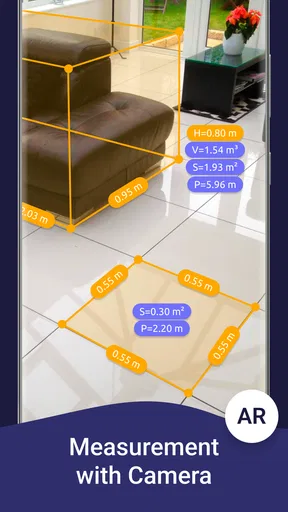
Once you've downloaded the AR Ruler App, the setup is pretty straightforward. The app uses your phone's camera and AR technology to gauge distances. All you need is a surface to start measuring. Simply point your camera and tap to mark the start and endpoints. It's as easy as pie!
The app interface is intuitive, with all the options neatly laid out. You can measure in different units—centimeters, meters, inches, feet—you name it! I found it particularly handy when I was trying to figure out if my new couch would fit through the door. Spoiler alert: it didn’t, but that’s a story for another day!
Features That Stand Out
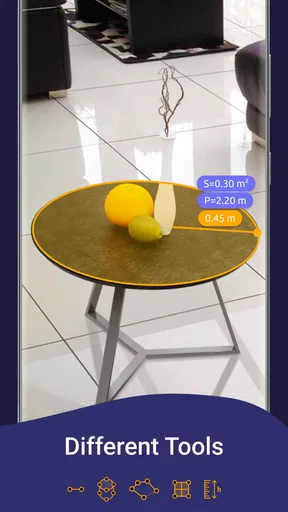
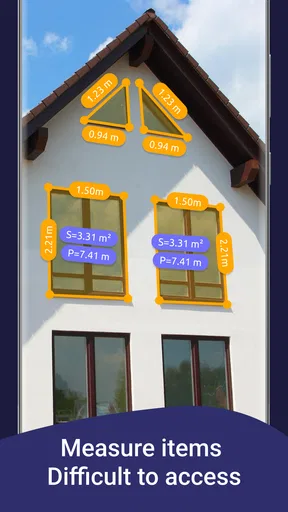
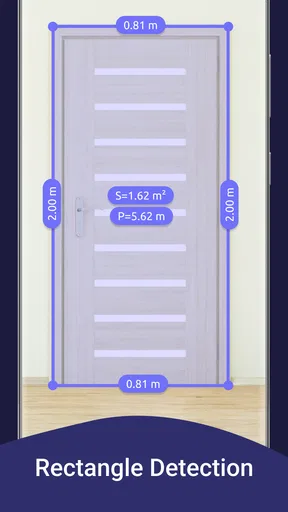
What makes this app a real gem is the variety of measuring tools it offers. It's not just about length; you can measure angles, areas, and even volumes. Need to check if your frame is hanging straight? The angle tool has got you covered. Want to calculate the floor space for new tiles? The area measurement is a lifesaver.
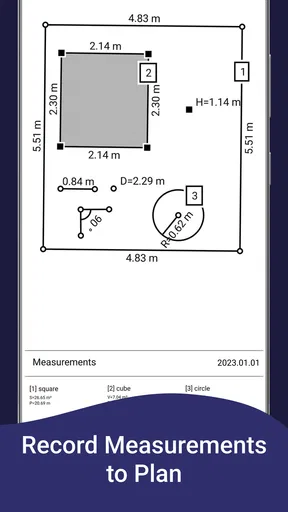
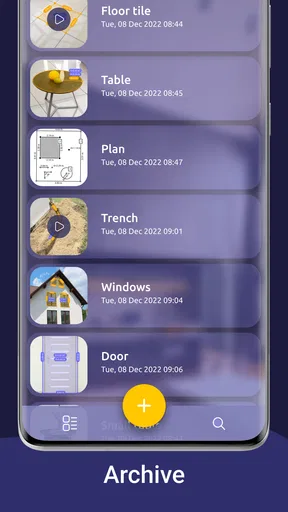
The app also allows you to save your measurements as photos, complete with dimensions. This feature was super useful when I was at the hardware store and needed to double-check the size of the wood planks I needed.
Accuracy and Limitations
Now, while the AR Ruler App is pretty impressive, it’s not without its quirks. The accuracy can vary depending on your phone’s camera and the lighting conditions. I noticed that under dim lighting, the measurements could be a bit off. So, for super precise tasks, like cutting a custom piece of glass, you might still want to double-check with a traditional tape measure.
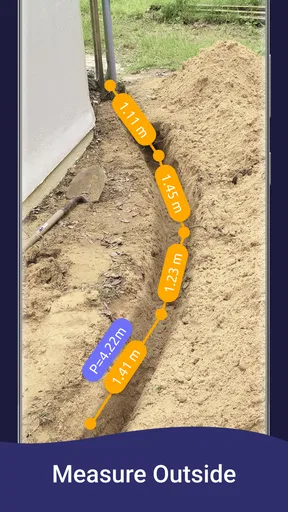
The app also requires a flat surface to start measuring, which means it might struggle a bit outdoors or on uneven surfaces. But for most indoor tasks, it works like a charm.
Practical Uses and Everyday Scenarios
This app is a game-changer for DIY enthusiasts and home decorators. Whether you're rearranging furniture, hanging art, or even buying new appliances, having an easy-to-use measuring tool on your phone is incredibly convenient.
Imagine you're out shopping for a new TV. With the app, you can quickly check if it'll fit on your wall space without having to remember the dimensions. Or maybe you're at a flea market and spot a perfect vintage table; a quick measure with your phone ensures it’ll fit in your dining room.
Choosing it over familiar tools
Compared with a physical tape measure, the main advantage is speed and convenience: the phone is already in your hand, and a photo can preserve the measurement for later. The trade-off is confidence. A tape gives a direct reading and is easier to trust for a tight clearance, while AR can be affected by the camera, light, and the surface available to begin. I’d use the app to narrow down choices, then confirm any critical dimension with a tape.
Compared with a basic ruler app, this one is more useful when the object or space is too large to lay a ruler against, since its AR tools include more than a short straight-line check. That flexibility does not mean every tool suits every job. For a small item on a desk, an ordinary ruler is often quicker; for a room or furniture decision, the camera-based approach can save walking back and forth to fetch a measuring tool.
Small habits that improve the result
When I need a measurement I may use later, I would capture it as a photo right away and frame enough of the surroundings to make the number meaningful. A dimension without context can be hard to identify once you are comparing several shelves or boards. For a shared project, take separate images for separate locations rather than expecting one person to remember which measurement belonged to which wall.
I’d also make a second pass before acting on a borderline result. If a cabinet seems only just narrow enough to clear a doorway, check the doorway and the cabinet independently, including the relevant side or depth, rather than trusting one quick reading. This is a useful workflow for shopping and planning, not a claim that the app can account for every awkward turn, handle, or trim detail.
Who will get the most from it
I’d recommend it to renters, home decorators, DIY beginners, and anyone who often needs a quick estimate while shopping. The saved-photo approach is especially handy when another person needs to review the measurement later. It also suits a shared household where the phone is a convenient backup tool and people are comfortable passing it between them for a short task.
I would skip relying on it as the only measuring method if you are cutting expensive materials, fitting something into a narrow opening, or working on a job where a small error could waste time or money. It is also less appealing if you prefer a dedicated tool that works without aiming a camera at a suitable surface. The physical tape remains simpler for repeatable, close measurements.
Cost, compatibility, and household decision
The app is free to download, with in-app purchases ranging from $0.99 to $119.99 per item. I’d start with the free experience and decide whether it covers your occasional measuring needs before considering any purchase. It runs on Android 10 or later, and the current version is 3.2.1; that matters if an older household device is being passed around, so check its operating system before planning to use it.
For shared use, I would keep expectations modest and the workflow clear: use it to estimate, save a contextual image when useful, and confirm important dimensions with a physical tape. There is no need to turn a quick household check into a complicated process. The app’s best role is as a handy second opinion when the measuring tool is not within reach.
Features That Stand Out
What makes this app a real gem is the variety of measuring tools it offers. It's not just about length; you can measure angles, areas, and even volumes. Need to check if your frame is hanging straight? The angle tool has got you covered. Want to calculate the floor space for new tiles? The area measurement is a lifesaver.
The app also allows you to save your measurements as photos, complete with dimensions. This feature was super useful when I was at the hardware store and needed to double-check the size of the wood planks I needed.
Accuracy and Limitations
Now, while the AR Ruler App is pretty impressive, it’s not without its quirks. The accuracy can vary depending on your phone’s camera and the lighting conditions. I noticed that under dim lighting, the measurements could be a bit off. So, for super precise tasks, like cutting a custom piece of glass, you might still want to double-check with a traditional tape measure.
The app also requires a flat surface to start measuring, which means it might struggle a bit outdoors or on uneven surfaces. But for most indoor tasks, it works like a charm.
Practical Uses and Everyday Scenarios
This app is a game-changer for DIY enthusiasts and home decorators. Whether you're rearranging furniture, hanging art, or even buying new appliances, having an easy-to-use measuring tool on your phone is incredibly convenient.
Imagine you're out shopping for a new TV. With the app, you can quickly check if it'll fit on your wall space without having to remember the dimensions. Or maybe you're at a flea market and spot a perfect vintage table; a quick measure with your phone ensures it’ll fit in your dining room.
Final Thoughts
In conclusion, the AR Ruler App: Tape Measure Cam is a handy tool that brings a lot of convenience to the table, especially for those spur-of-the-moment measuring needs. While it might not replace your trusty tape measure for every task, it’s a fantastic backup and a fun use of augmented reality technology.
So, if you’re looking to add a bit of tech magic to your measuring tasks, give this app a whirl. It might just save you a trip back to the store—or at least make your next home project a little smoother!
A practical household verdict
My verdict is that it earns a place as a convenient backup, not as the household’s final authority on dimensions. The strengths are immediate access, several kinds of measurements, and photos that make it easier to share what you found. The limits are just as relevant: it depends on camera conditions and a usable surface, and the result needs checking when accuracy has real consequences.
If your home often has small decisions to make—whether a table might fit, how much wall space a frame needs, or what size board to inspect at a store—this is a sensible tool to keep around. If you mainly need exact measurements for building or installation, I’d reach for a tape measure first and use the app only to plan or communicate. That balance is what makes it genuinely useful without asking it to do a job it is not suited for.
Pros
- Accurate AR measurements for various objects.
- User-friendly interface with intuitive controls.
- Supports multiple units of measurement.
- Includes area and volume calculation tools.
- Allows saving and sharing measurement data.
Cons
- Requires well-lit environment for accuracy.
- Not compatible with older device models.
- May struggle with reflective surfaces.
- Occasional app crashes or freezes.
- Limited features in the free version.
FAQs for AR Ruler App: Tape Measure Cam
How accurate is the AR Ruler App for measuring distances?
The AR Ruler App uses augmented reality technology to measure distances, which generally provides accurate results for everyday use. It leverages your device's camera and sensors to calculate dimensions. However, factors like lighting, surface texture, and device stability can affect accuracy. For critical measurements, it's advisable to cross-check with a physical tape measure.
What devices are compatible with the AR Ruler App?
The AR Ruler App is compatible with most modern smartphones and tablets that support augmented reality technology. Typically, this includes devices with ARKit on iOS and ARCore on Android. Ensure your device has the latest operating system updates to access all features and functionalities of the app.
Can I use the AR Ruler App without an internet connection?
Yes, the AR Ruler App can be used offline as it primarily relies on your device’s camera and sensors for measuring. However, some features, like accessing saved measurements or updates, may require an internet connection. Check the app's settings to optimize offline usage before heading out without connectivity.
Is the AR Ruler App easy to use for beginners?
The AR Ruler App is designed with user-friendliness in mind, offering an intuitive interface that guides you through the measurement process. Beginners will appreciate the straightforward instructions and visual cues. Additionally, the app provides tutorials and tips for first-time users to help them get started quickly and effectively.
What additional features does the AR Ruler App offer beyond basic measuring?
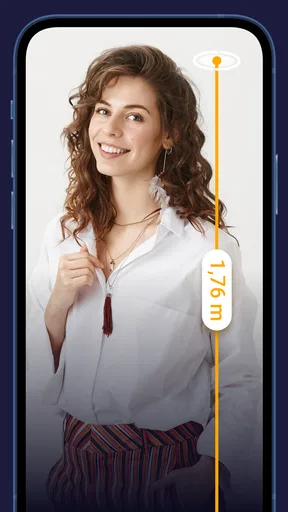
Beyond basic distance measurement, the AR Ruler App includes features like angle measurement, height tracking, and area calculation. Some versions offer a floor plan tool and the ability to save and share measurements. Regular updates may introduce new features, enhancing the app's versatility for various measuring tasks.


